
Vinteo AI
Turn one product photo into listing, lifestyle, and campaign-ready interiors.
Upload the item, set the scene direction, and move through one studio workflow instead of juggling shoots, freelancers, and disconnected editing tools.
From uploaded product photo to four reviewable interior drafts.
Marketplace-ready aspect ratios from square to story to ultra-wide.
Workspace, tools, gallery, and admin follow the same logic.
Proof
One source photo can drive the whole sales surface.
You do not need one tool for rendering, another for cleanup, and a third place to keep the finished assets. The product is structured around a single flow: create, refine, store, and monitor.
From uploaded product photo to four reviewable interior drafts.
Marketplace-ready aspect ratios from square to story to ultra-wide.
Workspace, tools, gallery, and admin follow the same logic.
Context-rich renders for the main product story.

Tighter crops for catalog clarity and zoom surfaces.
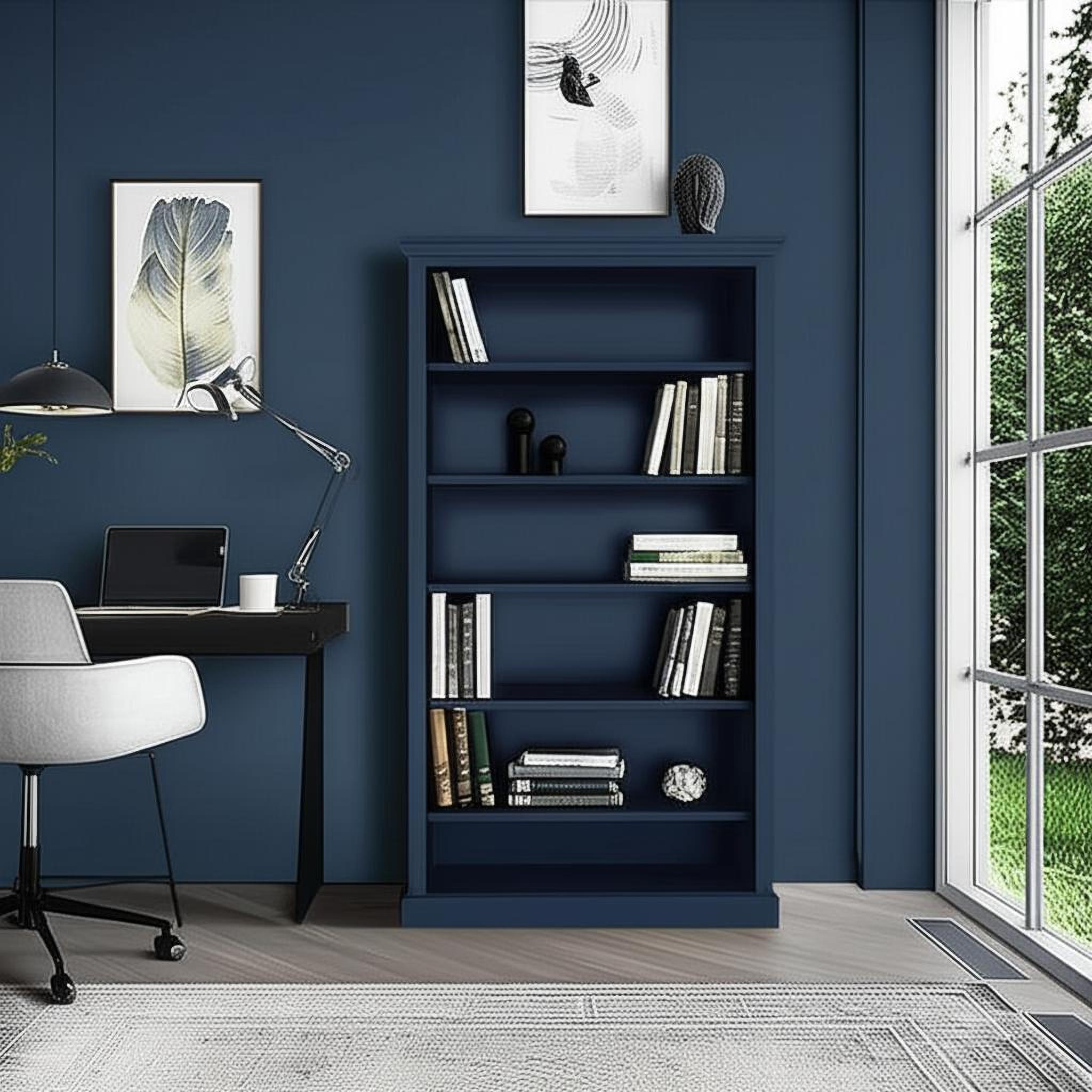
Moodier environments for richer ad and social storytelling.
Product map
One system, four working surfaces, no mystery about where the next action lives.
Hover or focus each surface to see the actual interface. The structure mirrors the product flow itself: create in the workspace, refine in tools, organize in the gallery, and monitor in admin.
Workspace
Create the shot direction
Upload the product, choose the scene, guide the prompt, and move from draft to finals without losing context.
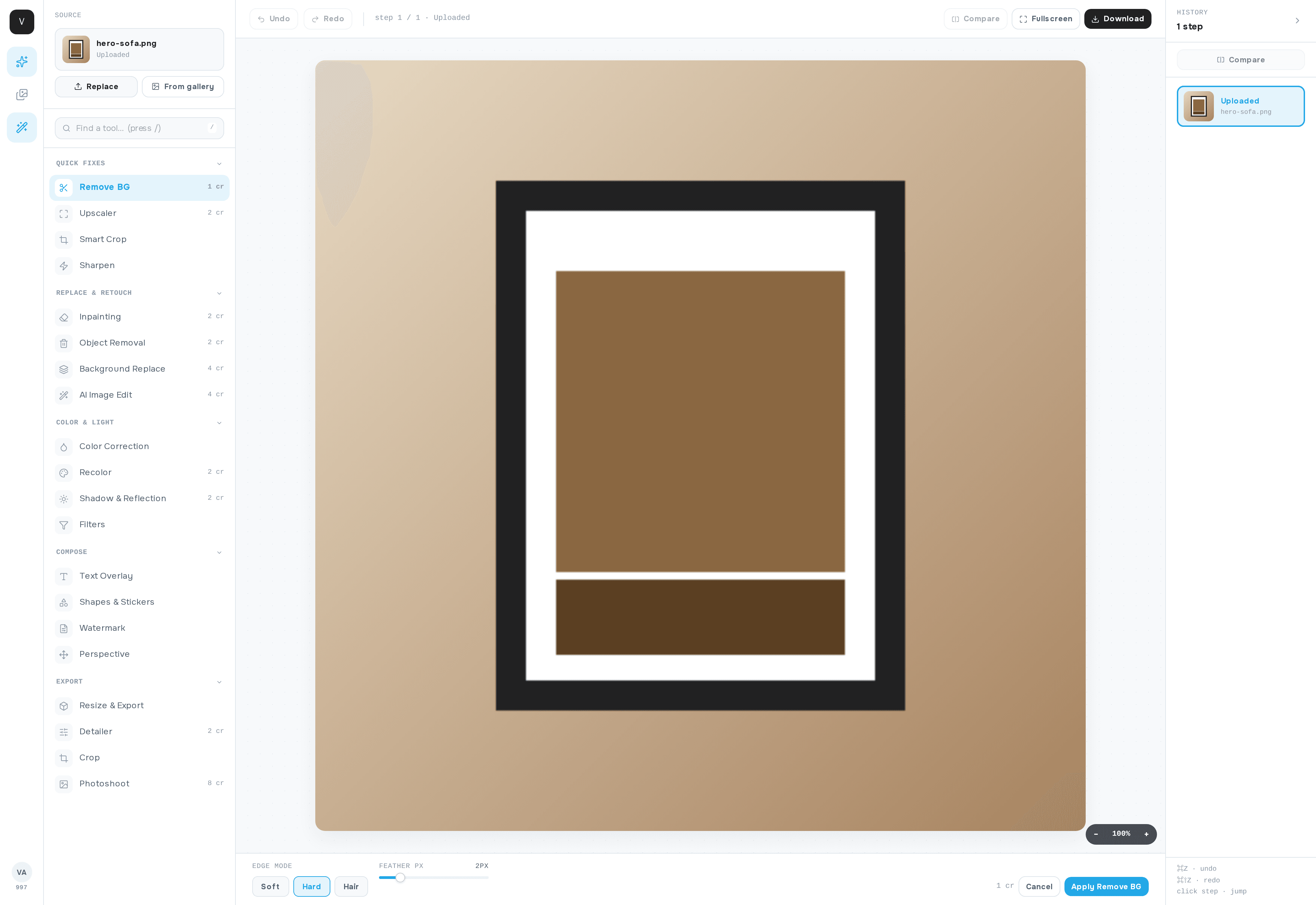
Tools
Refine the asset
Handle crop, cleanup, upscale, and post-processing inside a workstation that keeps source, controls, and result aligned.
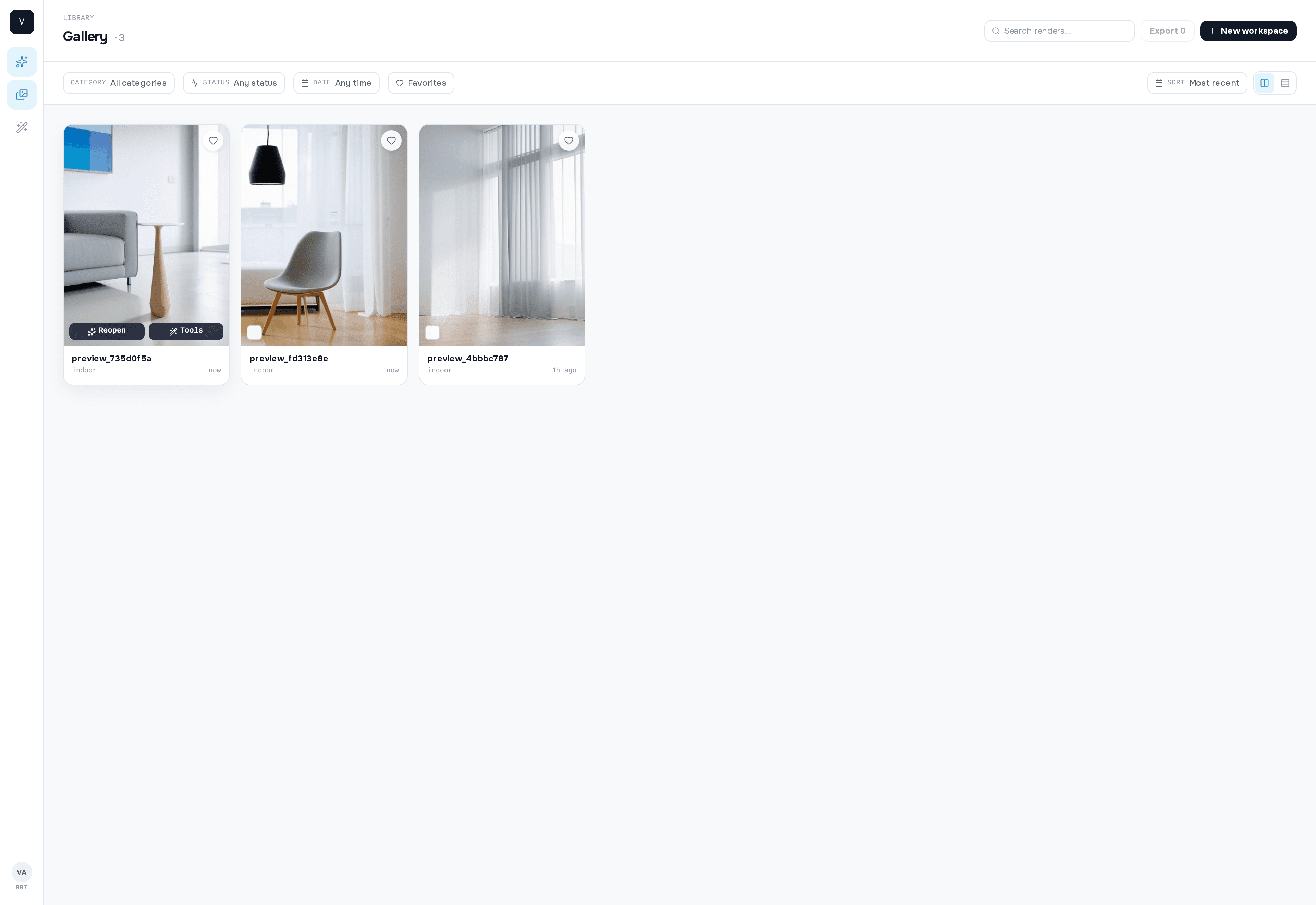
Gallery
Organize the outputs
Browse completed renders by goal, compare variants, save looks, and reopen the strongest results when they deserve another pass.
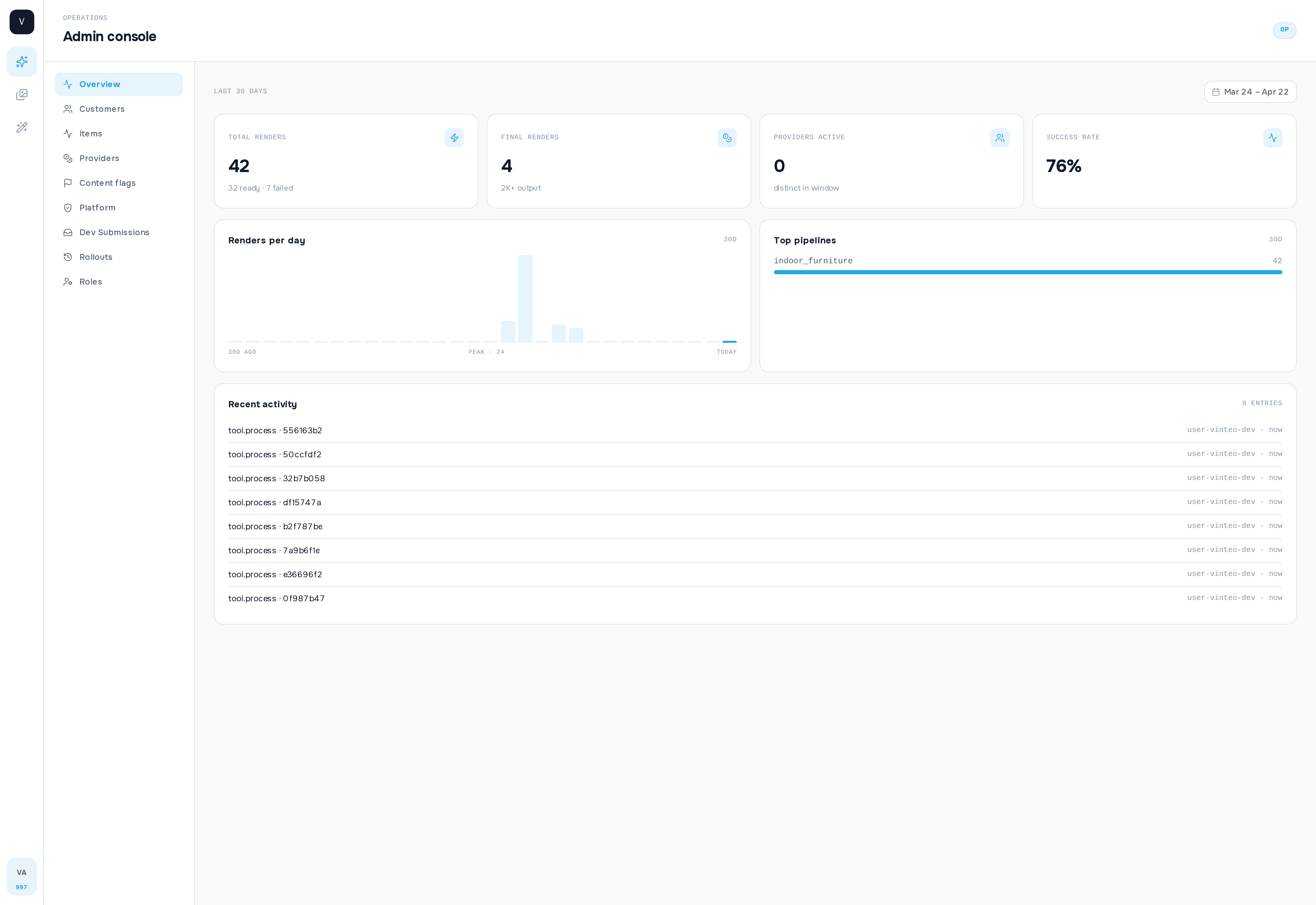
Admin
Monitor the operation
Track queue health, inspect failures, and understand what is happening across live generation traffic without hunting through raw tables.
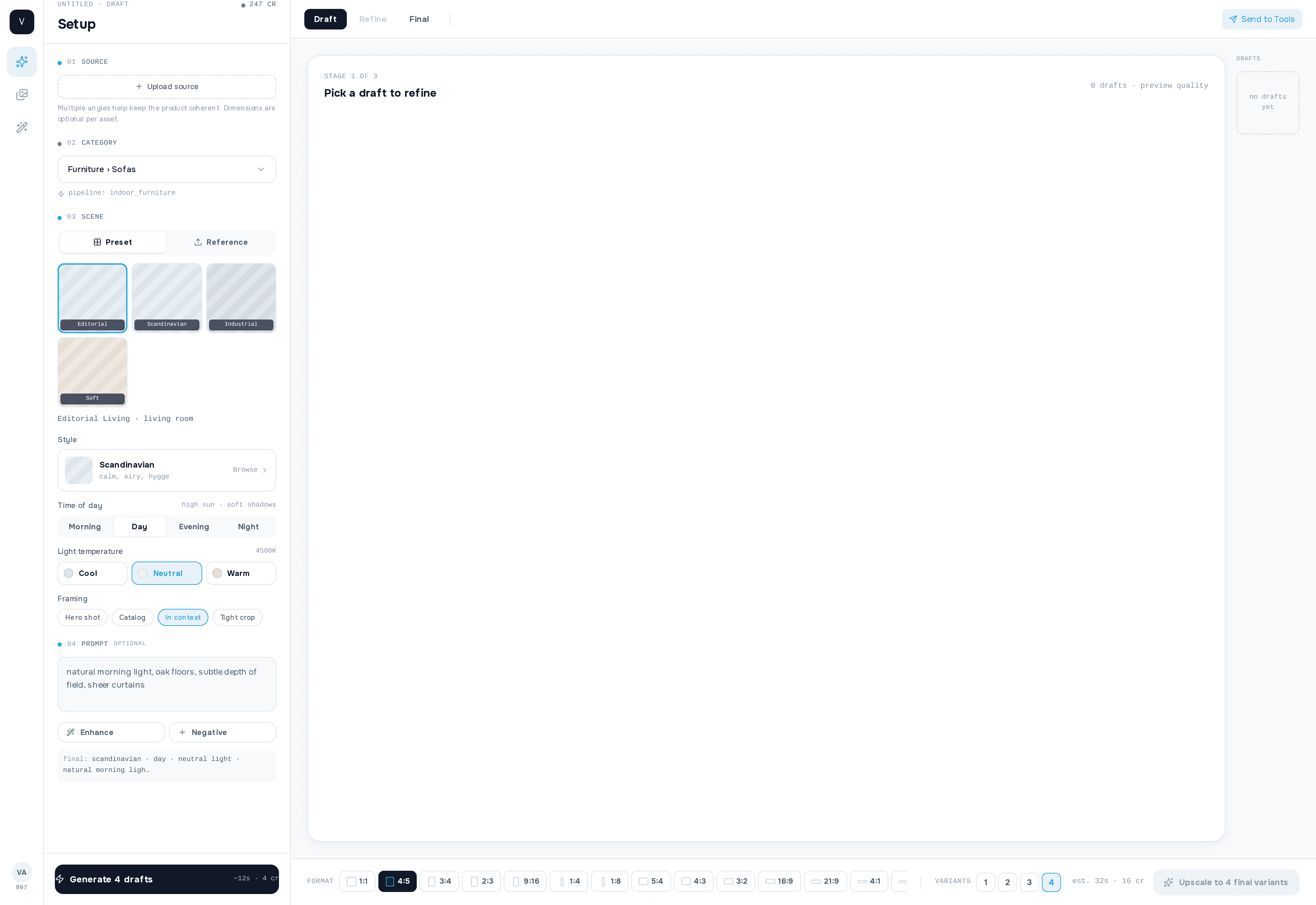
Workspace
Draft-first studio for scene direction, prompt control, output format, and final variants.
Final CTA
Start in the studio, keep the rest when the workflow deepens.
The first step is simple: upload the product and generate a draft. The rest of the system is already there when you need refinement, library review, or operator visibility.
Generate the first interior direction quickly, then stay in one coherent system for the rest of the work.